



Documentation
Complete guide to using Pedigree for your racing pigeons. Learn how to effectively use all features.
MyPigeons Synchronization
How Pedigree keeps your pigeons in sync with MyPigeons
What Gets Synchronized
When your fancier is connected to MyPigeons, Pedigree keeps both platforms in sync automatically in the background. You don't need to press any buttons — changes made on one platform appear on the other within a few seconds. Three kinds of data are synchronized:
- Pigeon statuses (Active, Sold, Deceased, …) — in both directions.
- Pigeon categories — the categories you define and the pigeons you assign to them, in both directions.
- Race statistics (prizes, flown kilometers, success rate) — from MyPigeons to Pedigree, shown in your pigeon lists, results, siblings and offspring pages.
What You Need
For the synchronization to work, three connections must be in place:
- Your account: Pedigree and MyPigeons share one BENZING Live account (single sign-on), so this part is automatic — you are always the same user on both platforms.
- Your fancier: connect your Pedigree fancier to your MyPigeons fancier in the fancier settings (MyPigeons Connection).
- Your pigeons: each pigeon must be linked to its MyPigeons record. Pigeons imported from MyPigeons are linked automatically, and when you connect your fancier, Pedigree also links your existing pigeons automatically by their ring numbers.
Connecting Your Fancier
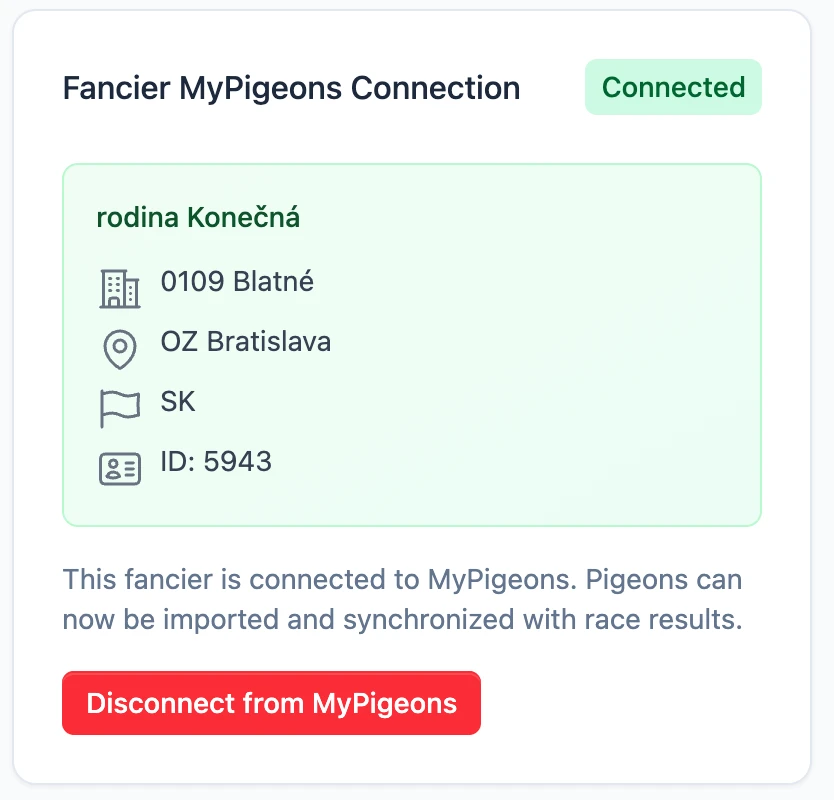
Open your fancier's settings and use the MyPigeons Connection card. Pedigree lists the MyPigeons fanciers available to your account — pick the right one and confirm.
Right after connecting, an initial synchronization starts automatically: statuses, categories and race statistics are downloaded from MyPigeons within a few minutes.
If you already had pigeons in Pedigree (for example entered manually or imported from another system), Pedigree matches them with MyPigeons by ring number — year, organisation and ring number — and links them for you. A pigeon that is already linked to a different MyPigeons record is never re-linked automatically, and if a ring match is not unambiguous, the pigeon is left unlinked so you can link it manually on its settings page.
Statuses
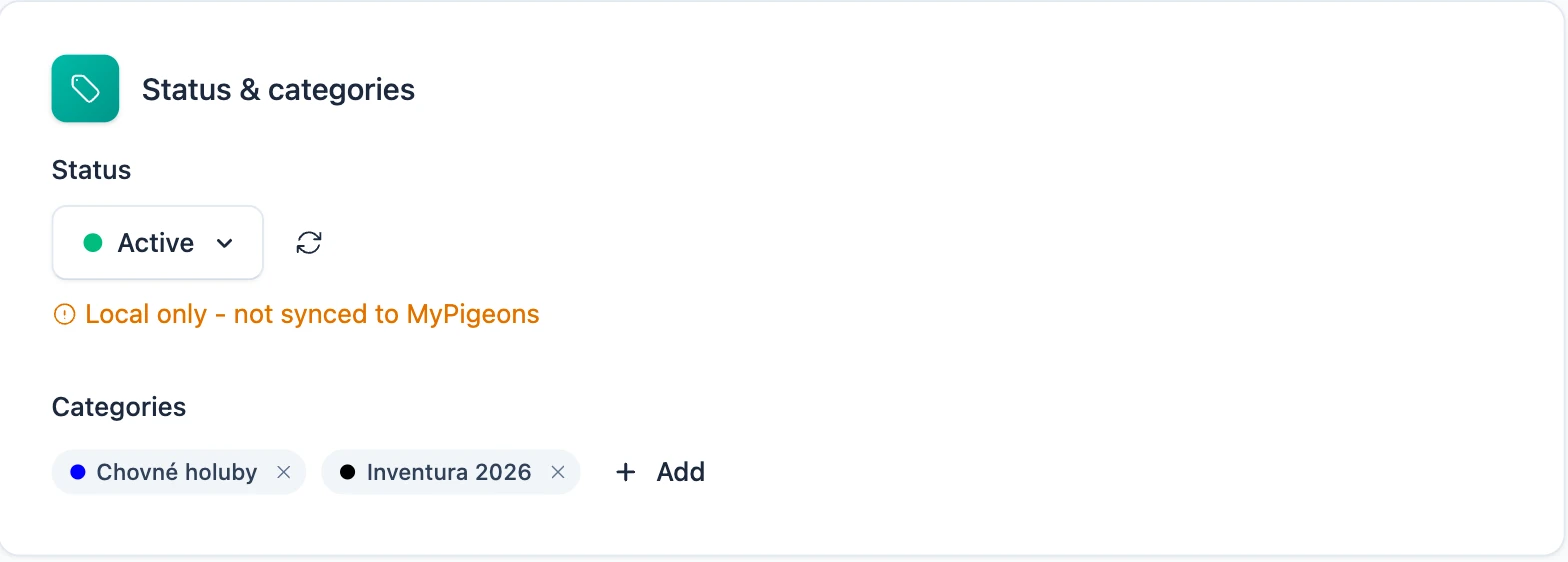
When you change a pigeon's status in Pedigree, the change is sent to MyPigeons; when a status changes on MyPigeons, it is applied in Pedigree. A small indicator next to the status on the pigeon's settings page shows where the current value came from and when it was last synchronized.
Only your own pigeons are affected. If other fanciers in Pedigree keep a copy of the same pigeon in their lofts, their copies keep their own local status — synchronization only touches the copies of the fancier connected to that MyPigeons account.
Categories
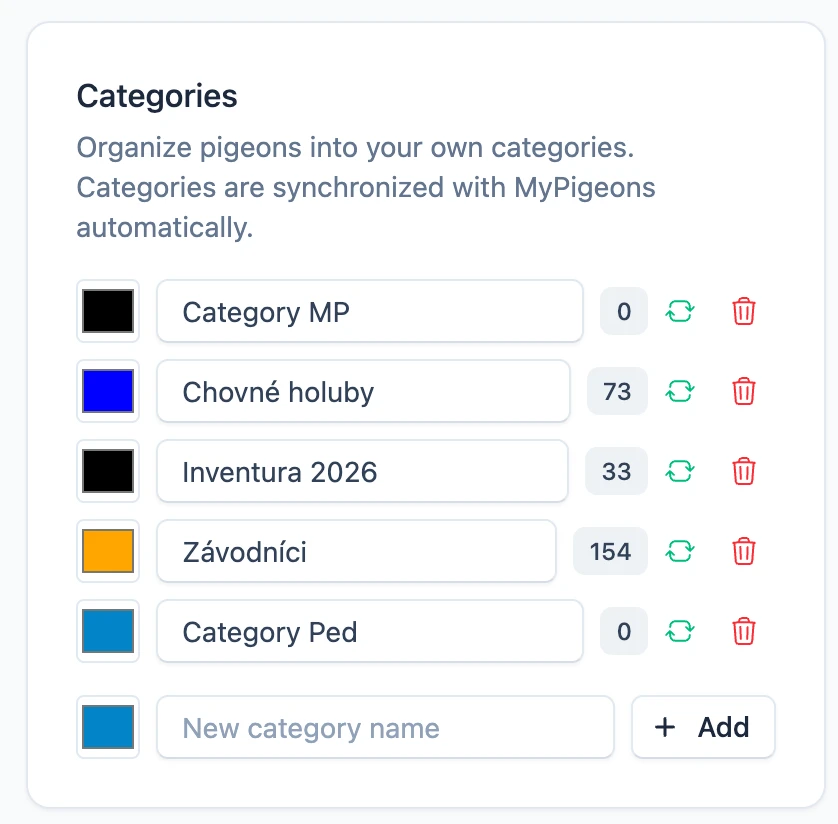
Categories you create, rename, recolor or delete in Pedigree appear on MyPigeons, and vice versa. The same applies to assigning pigeons to categories. A green sync icon next to a category in your fancier settings means it is linked with MyPigeons.
If a category you created is missing the green icon, it has not been accepted by MyPigeons yet — most often because your MyPigeons account is not an approved member of the connected fancier. The category still works normally inside Pedigree.
Race Statistics
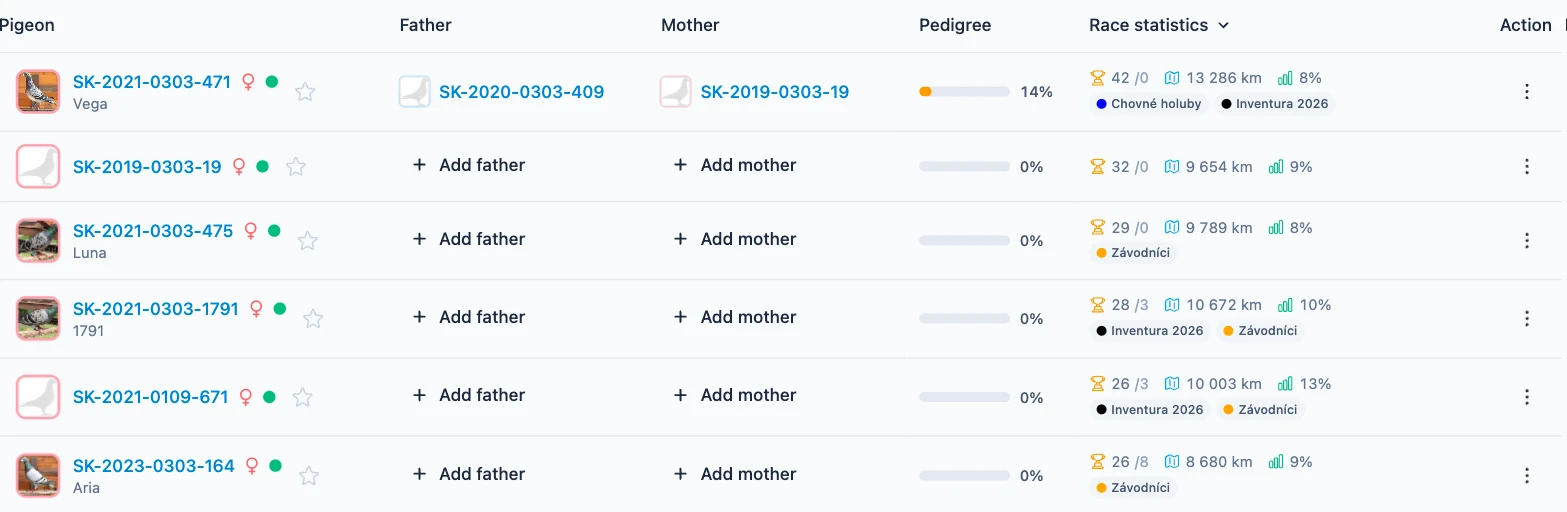
Prizes, flown distance and success percentages come only from calculated race results — races that have been officially evaluated on MyPigeons with final scores, coefficients and points. Plain club arrivals that have not been calculated yet are not included. The statistics are computed from these calculated results and downloaded into Pedigree, where they appear in your pigeon lists, on the pigeon's results page and on the siblings and offspring pages, so you can compare related pigeons at a glance.
Statistics are read-only in Pedigree — they always reflect what MyPigeons calculated, and they update automatically after new race results are processed.
Deleted and Transferred Pigeons
When a pigeon is deleted on MyPigeons, Pedigree never deletes your data — the pigeon is archived instead, with all its pedigree information intact. If the pigeon is restored on MyPigeons, it is unarchived automatically.
When a pigeon is transferred to another owner on MyPigeons, your copy is archived and keeps its last known status. If the new owner also uses Pedigree with a connected fancier, the pigeon continues to sync in their loft.
When Synchronization Happens
Individual changes are exchanged within a few seconds. The initial download after connecting a fancier takes a few minutes, depending on the number of pigeons. In addition, a nightly safety synchronization re-checks all connected fanciers and fixes anything that was missed — for example after a connectivity outage — so both platforms are guaranteed to match again by the next morning.
Troubleshooting
If something does not synchronize, check the following — these cover almost all cases:
- Is your fancier connected? Open the fancier settings and check the MyPigeons Connection card. Without a connection nothing syncs.
- Is the pigeon linked to MyPigeons? Open the pigeon's settings — the MyPigeons connection is shown there. A pigeon without a link does not sync; you can link it manually.
- Is your MyPigeons membership approved? Sending changes from Pedigree to MyPigeons requires your MyPigeons account to be an approved member of the connected fancier. Changes made while unapproved stay in Pedigree only.
- Are you looking at the right copy? Copies of the same pigeon owned by other fanciers keep their own local status and categories by design.
- Did the pigeon disappear? Check the archive — a pigeon deleted or transferred on MyPigeons is archived in Pedigree, never deleted.
- Statistics look outdated or missing? Only calculated race results count — statistics refresh in Pedigree automatically once the races are officially evaluated on MyPigeons. Uncalculated club arrivals are not included.
- Did you change the pigeon's ring number? A corrected ring is a different pigeon for MyPigeons, so the link has to be made again in the pigeon's settings — and results verified with the old ring lose their badge.